Hi Susan. I have attached a link to a repair video that shows how to replace the pump on an LG front load washer. This may not be the same model you have. If you washer is different to where this video does not help you please send me you model number so i can look it up and get you the right info. From what you have said, I assume you have taken the filter out of the pump and cleared out any debris inside of it and it still will not drain the water out for you. You could have debris in the hose like you have said or a bad drain pump. The video will help you with either. Also, there is another way to replace the pump and get to the hoses that this video does not show. If you tilt the washer back or lay the washer on its back there is an access holed in the bottom of the cabinet. This gives you access to the pump and hoses as well. I hope this was helpful!
- Brian, Ace Appliance answered 12 years ago
Hello George. Your refrigerator has a separate evaporator for the refrigerator section and is located in the back wall. This is going to be the coldest spot in your refrigerator. It doesn’t sound like you have a temp issue because nothing else is freezing in the refrigerator. Vegetables have higher moisture content and therefore are usually the first things to freeze. The vegetables should be keep in the crisper drawers of your refrigerator. These crisper drawers are designed to keep the fruits and vegetables in. Theses drawers are also going to have a humidity control that will help the veggies from freezing. Please refer to the owners manual on the proper placement of your produce and adjustments for the humidity control on your crisper drawers. You can also lower the temperature of the refrigerator if you still have issues. I hope this was helpful!
- Brian, Ace Appliance answered 12 years ago
Also, check that the door closes evenly on both sides and that the unit is level in all directions. I’ve seen many dishwashers that leak out of the door seal because the unit was out of level causing the door to not close and seal properly.
- Brian, Ace Appliance answered 12 years ago
If the ice maker is getting water check to make sure there is not any ice cubes or ice pieces preventing the arms of the ice maker from rotating through a cycle. You may need to pull the ice maker out to check if it is getting water and for ice jams. Also, if there is ice in the ice maker, make sure the ice maker arms are not frozen in the cubes. If they are you will need to replace the ice maker. The arms of the ice maker should be at the top and not in the ice cubes. This is a common problem with this unit. I have attached a link for a repair video on removing your ice maker and installing a new one. I hope this was helpful!
- Brian, Ace Appliance answered 12 years ago
If you need any parts call our parts department at 1-800-830-5465 or order on line at http://www.savemoreonparts.com This video have linked to this post gives you basic trouble shooting for the ice maker on your unit. The first thing you want to do is verify that the ice maker is getting water into it. Here are 15 Whirlpool video’s that are very good quality. https://www.appliancevideo.com/appliances/whirlpool-gold-series/
- Brian, Ace Appliance answered 12 years ago
- last active 11 years ago
Hi. I can help you with this error code that your washer is flashing at you. The first flash or blink of the console lights is the F and the second flash is the E part of the error code. So if on the first flash just the fill light is lit and then on the second flash the rinse and done lights come on it would be a F0 E5 error code . This error code is an off balance load error code. The washer has detected an off balance load. If clothing was not distributed evenly and the basket got off balance in the spin cycle it would cause the washer to stop and then flash this error code. Usually the you can hear the washer going off balance when this occurs. The basket most likely would have been banging against the cabinet. If it was not an off balance load you may have an issue with the suspension of the washer. Press down on the tub and let go. It should not bounce up and down more than once when pushed down. If it bounces up and down more than that you will need to check that the 4 suspension rods are in proper location at the top of the cabinet under the top panel and at the tub. If they are it there proper place you will need new suspension rods. I hope this was helpful.
- Brian, Ace Appliance answered 12 years ago
Thanks for the info Tony. We don’t have the ice maker hooked up so it’s not that but I will check your other recommendation and let you know if it fixes the problem. Thanks again!
- Guest answered 12 years ago
Hello Amy! Thank you for your question… In most cases when you are getting water or ice in the bottom of your freezer, it is caused by a frozen or clogged drain line. Always make sure to check the ice maker fill tube that it is in the proper position into the ice maker and not inserted correctly. In some cases you can just shut down the refrigerator for 24 hours with the door open to allow drain line to completely thaw. If problem persists after shutting down, you will need to follow these steps. What you will need to do is remove the bottom couple of shelves and racks to access the back panel inside the freezer. After removing shelving, you will need to remove the back panel by taking out the 1/4 inch or Phillips head screws. Usually about 4. CAREFUL edges of back panel are very sharp. You may also need to remove light bulb. After removing panel, you will see a silver drip pan under the evaporator which will most likely be covered in ice. Remove ice build up. Then a good way to clear the drain tube, you can use some very hot water and a turkey baster simply squirt down the drain until build up has melted and water flows down the drain freely. Again, be careful as the evaporator and panel are very sharp. Good luck on your repair! Any other follow up questions, don’t hesitate to ask!
Tony-AceTech52
- Tony, Ace Appliance answered 12 years ago
I have attached a link for the repair video for your control. The updated part # for this control is W10503278. This control is also referred to as a JAZZ board. If you need help further diagnosing your refrigerator to make sure your problem is within the Jazz board just ask.
I hope you find this helpful.
- Brian, Ace Appliance answered 12 years ago
When you turn on the dryer does it give you any heat at all, most likely at the beginning of the cycle? Or does it not produce any heat at all? Typically with gas coils that are bad, you will get heat at the beginning of a cycle when the unit has not been ran for a while and has had a chance to “cool off”. Then the coils fail and do not allow heat to be produce through the rest of the cycle or for an extended period of time through the cycle until they “cool down” again.
- Brian, Ace Appliance answered 12 years ago
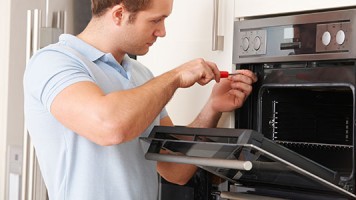
I have included a link to a video that shows an example on how to replace a bake element
- Sean, Ace Appliance answered 12 years ago
Hello Andrea,
Replacing the element in the oven is fairly simple. First you will want to unplug the range. Next you will open the oven door and remove the racks to ease the removal and installation of the element. The element is held in place by 2 screws at the back wall of the oven cavity. Once you remove the screws, you can gently pull the element out to gain access to the wiring. The wires have flat terminals and will slide off of the element terminals (use caution to not allow the wires to go back inside the hole that they came out of. If this happens you will have to access the back of the range to get to wires). Once the old element is out, follow the given instructions in reverse order to install the new element. Hopefully this helps you!
- Sean, Ace Appliance answered 12 years ago
Hi Dennis,
Based on your issue I think the most likely fix would be the gas coils. I’ll place the part number below for you to purchase and a video to show how to install. This should get you back up and running.
- AV Repair Help answered 12 years ago
Hi. The model number you have listed is not valid. It looks like the last 2 digits are off. I have looked up similar model numbers. It looks like you have a Whirlpool Cabrio or Maytag Bravos style top load washer. I’m not sure how far into the repair you are. Once you lift up the top panel/lid of the washer you then have to remove the tub ring by releasing the tabs. Then remove the cap of the impeller and remove the bolt of the impeller and remove the impeller, just like in the video. Now you are ready to pull the tub out which can be difficult to do sometimes. If may require two people. In fact two people will make this task a lot easier. The tubs on these washers can be very difficult to remove as they get “stuck” on the shaft and when you try and pull just the basket up the whole tub assembly comes up with it. You can also try to wiggle the basket back and forth as you pull up on it to try and free it from the shaft. One person needs to grab the basket on each side of the lip inside and pull up evenly and straight off the shaft while the other person holds the outer tub down so it doesn’t move up with the basket when you pull it. This may take a lot of upward force to pull the basket off the shaft. I hoped this has helped and good luck with your repair. Please let me know if I can be of further assistance.
Tech Brian V
- Brian, Ace Appliance answered 12 years ago
F83 is a Lid unlock failure. Unplug the washer, access the control panel by loosening the (3) 1/4″ screws securing the rear of the control panel and then “roll” it forward to access the electronic control. Next, verify that the wire harness connections for the lid lock assembly on the main electronic control board is securely in place. If the connections are okay, then you need to open the top panel by depressing the (2) hidden tabs that are located on the “seam” between the front panel and the top panel about 2′ in from either side. To do so, use a putty knife as to not damage the paint and depress the spring tabs while carefully lifting up on the top panel to access the lid lock assembly. With this being done, you can now replace the lid lock assembly if needed.
For this error, and if the wiring was securely installed into the electronic control I would replace the lid lock assembly
The lid lock assembly part # for your stated model is: W10059230 and I have included a link for it as well
- Sean, Ace Appliance answered 12 years ago
Hello Raul; I believe what you are talking about is called a retaining ring which does look like a c clip and there are actually 2 different ones on your clutch assembly which is what I think you are referring to as a “brake cam driver” – there is a larger one which is the upper one and it has a part # of W10080230 and then there is a slightly smaller one just below that one which has a part # of 285353 . THE GOOD NEWS IS you can order your retaining ring(s) from appliancevideo.com and they will be delivered right to your door for your convenience . I hope this helps you out and as always good luck with your repair !
- Sam, Ace Appliance answered 12 years ago
Hello Michael! Thank you for your question. Sounds like you have some kind of defrost issue. Upon removing the back panel in freezer, was the whole evaporator covered in ice and frost? As if it has not defrosted in a while? This could cause low or no air flow which is why your refrigerator is not cooling properly. In most cases, this problem usually point to either a defrost timer, defrost heater, or the defrost bi-metal. Upon removing the back panel, the bi-metal will have a pink and brown wire going to it. Sometimes when they fail, the top of the bi-metal will be popped up. Caused by water getting inside it, freezing, and causing it to expand and break. In some cases, the defrost heater will be the root of the problem. The heater can be tested by doing a simple continuity check with a multimeter, set to ohms. As long as your evaporator fan motor is running, I would check these things first and feel free to get back with us!
Thanks,
Tony-AceTech52
- Tony, Ace Appliance answered 12 years ago
Hello Kelly! Thank you for your question. On most Whirlpool Duet Dryers, (if not all) the heating element is towards the back right bottom of the unit, BUT it is accessed through the front by removing the bottom kick panel. Trained and experienced technicians are usually able to test the heater by performing a continuity check on the two terminals on the heating element itself with a multimeter without removing the drum. But in order to actually replace the heater (8544771) itself, you would have to remove the drum from the cabinet. I am attaching a link to a video that should provide step by step instructions on how to access and replace this particular heater. Although, i would highly recommend doing a continuity test on the thermal fuse located on the blower housing before automatically assuming it is in fact the heater that is causing your dryer not to heat. You would need to remove the bottom kick panel, and then the blower housing itself, which is the silver housing behind kick panel. It should have three 1/4 inch screws holding it on. The fuse will be the long skinny white one.
Always remember to UNPLUG unit before accessing! Feel free to ask any other questions! I hope this helps you get started
Tony-AceTech52
- Tony, Ace Appliance answered 12 years ago
Hello Raul! Thank you for your question, if you could provide a model number for your washer it would be very helpful to get your question answered accurately. If it is a Kenmore, it should start with a prefix of 110. or 690. etc… I believe the 80 series is a top load washer, and the model number should be located under the lid in the back right corner, or behind the main console. Thanks- AceTech52
- Tony, Ace Appliance answered 12 years ago